
EASY MODE
FOR FIST-TIME SMARTPHONE USERS AND SENIORS
DEVICE
GALAXY S3, S4
GALAXY NOTE 4
TABLET
MY ROLE
WIREFRAME & INFORMATION ARCHITECT
INTERACTION DESIGN
LOW-FIDELITY PROTOTYPING FOR TESTING
ROADMAP FOR IMPLEMENTATION
TEAM
GRAPHIC DESIGNERS
SOFTWARE DEVELOPMENT TEAM
PRODUCT PLANNING TEAM
MARKETING TEAM
* I used all the image in the world because all the devices and models I’ve done in Samsung are already released
OVERVIEW
SMARTPHONE IS NOT EASY FOR ALL.
ESPECIALLY, FOR SENIORS.
IS THIS JUST BECAUSE
THEY ARE NOT INTELLIGENT ENOUGH??
“over-55s were now the fastest growing segment of the smartphone market, with one in two older people expected to have a smartphone by the end of the year.”
"It's a natural progression and one that we're seeing now as older people start to replace their phones"
Deloitte’s head of technology research, Paul Lee
In 2012, still many people were using feature phones, especially seniors. Smartphones are filled with so many features and options that even the tech- savvy person has a hard time keeping up with it all. So you can imagine what a beginner or someone who is very uncomfortable with technology must feel like.
The design team came up with an idea to make some simpler home screen for the people who use the smartphone for the first time so that we can include more people behind the digital and help more people experience to new world.
RESEARCH
01
DESK RESEARCH
We gathered the data to select applications and features for easy mode.
- what applications & features seniors use most
- what kind of features they want to have and don't
02
IN-DEPTH INTERVIEW
I wanted to know how senior feel and think about having
a smartphone and what was the main difficulties for the to start.
03
IT-CLASS FOR SENIORS
I participated in IT class for seniors. I could see how seniors interact with devices and how they learn smartphone features, how they react when the problem happens.


FINDINGS
COGNITIVE & PHYSICAL
LEARNING BARRIERS
Physically, eye sights are not good and pressing keys in small screen is not easy. Mentally, they can't remember things and adapt to new things quickly as much as young people.

FEAR FOR TECH
Seniors are afraid of digital devices since it's not familiar to them at all. They feel insecure and helpless when they have problems with digital devices and easily lost their confidence.
DIFFICULTY TO GET HELP
Usually it's hard to get helps when they have troubles. Even though they find someone or a place to get help, they feel sorry for asking and feel embarrassed if they don't understand after someone explain to them.

ONBOARD DESIGN
THE SIMPLER HOME SCREENS
We cut the home screens down to three from the usual five with the standard mode: the Contacts Screen, Main Screen and Apps Screen. We put the most often used apps front and center as the main home screen based on what we got from the user research.

STANDARD MODE

EASY MODE
APPLIED BIGGER FONTS AND ICONS
For who has difficulty with eyesight, touching small things or dexterity, simply bigger fonts and icons help a lot and make a whole different experience.
We enlarged home screen icons and text throughout the device while simplifying basic navigation.
STANDARD MODE

EASY MODE

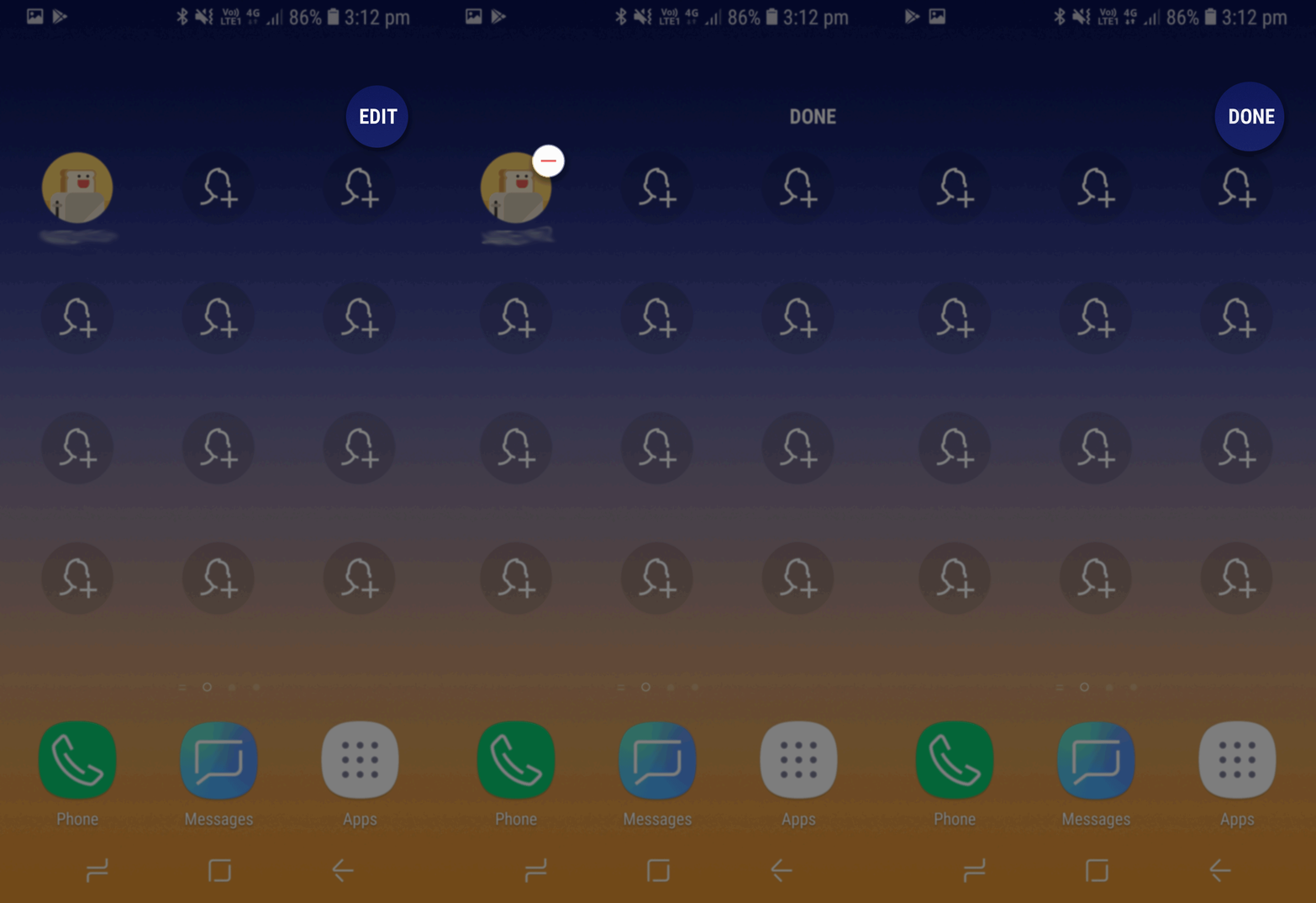
STRAIGHTFORWARD INTERACTIONS
Touch interactions such as press and hold, drag are unfamiliar to seniors and simply not senior friendly interactions.
1. No hidden touch interaction and features
2. Exposed Edit and Add feature so that user can do it in one-step
3. Kept the navigation visible at all times
4. Alphabetical order app list



EASY MODE APPLICATIONS
After we delivered Easy Mode to the market, we got positive feedback from the users, so we decided to work on making key applications simpler as well.
I delivered basic guideline and UI specification and share them with other UX designers to make consistent experience with Easy mode and orchestrated various issues between applications.
Easy Applications list
We selected top applications that seniors use most from the research and made users can choose whether they want to use these applications as an Easy mode or Standard mode when they change to Easy mode.

Examples of Easy Applications
We tried to cut out many of the more intricate UI features and simplified menu and put the key features in front to reach better.

Phone

Contacts

S Planner(Calendar)

Gallery
ITERATION, CHANGES, REFINEMENT
EASY MODE HOME SCREEN
The First version
Based on user research, we put three main pages;
Favorite settings, Favorite contacts, Favorite apps

The Second version
After first version, we got the feedback from users that favorite setting page is really helpful to setup their phone in the beginning, but they don't change the settings often. Thus we put favorite settings into 'Easy settings' and allocate the favorite setting pages to favorite apps page and added main page as a default home screen.

The Third version
Added Flashlight, Magnifier apps in the main page as a senior specified apps.

The 4th version

Easy mode NOW (Galaxy S10)

Samsung - Easy mode tutorial (Youtube)
LEARNINGS
Easy mode was the most valuable concept that I designed in mobile team because I made a roadmap for Easy mode and designed from scratch while dealing with so many complicated issues. The first Galaxy model that easy mode applied was S3 and it still exists in Galaxy S10 which released in 2019and I think this shows that Easy Mode actually lowered the bar for people who are transitioning from an older feature phone, or who needs a bit of extra guidance.
You can get 120,000,000 results from Google when you search "Galaxy S Easy mode". I would like to share some feedback from the world.